From the official VRChat Youtube channel (https://youtu.be/OFMmLAT5vp0?si=4jISh_lKunqy-ku5)
The VRChat update “2025.3.2” was released on August 27, 2025.
This update added features such as microphone testing and drone customization, along with bug fixes.
In this article, we translate the official English patch notes into Japanese and explain them in an accessible way.

Official Video Patch Notes
New Features
The main features added in this update are:
- Drone customization
- Microphone testing
- Web and client integration for world selection
- Camera depth of field on Android
- Photo metadata on/off controls
- VRC Quick Launcher: Running Multiple VRChat Clients
Drone Customization
Drone has been added to the inventory's “Cosmetics” section. You can change your drone's appearance there.
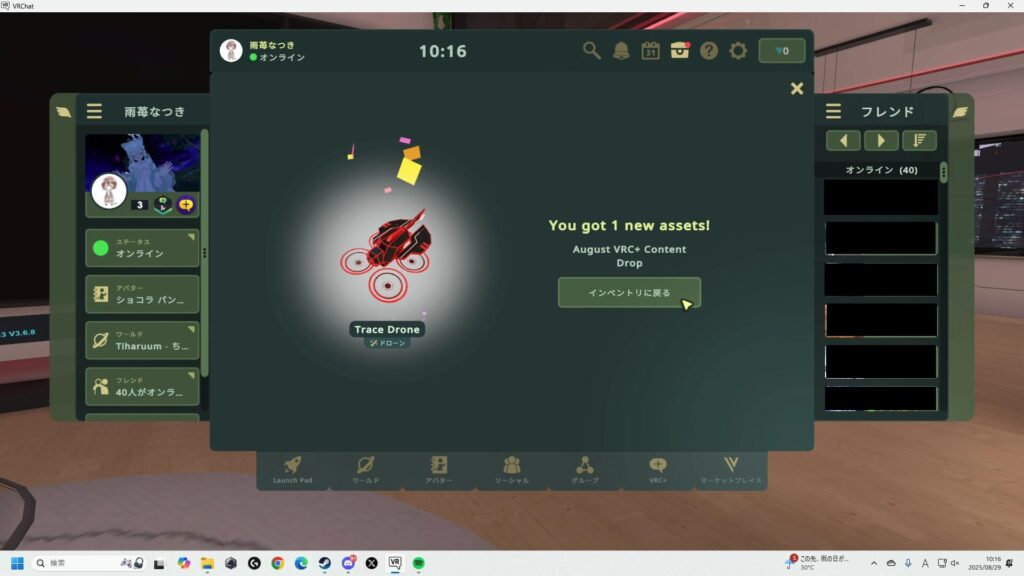
VRChat+ subscribers are receiving the new “Trace Drene” drone.
You can claim it by logging in by September 24.
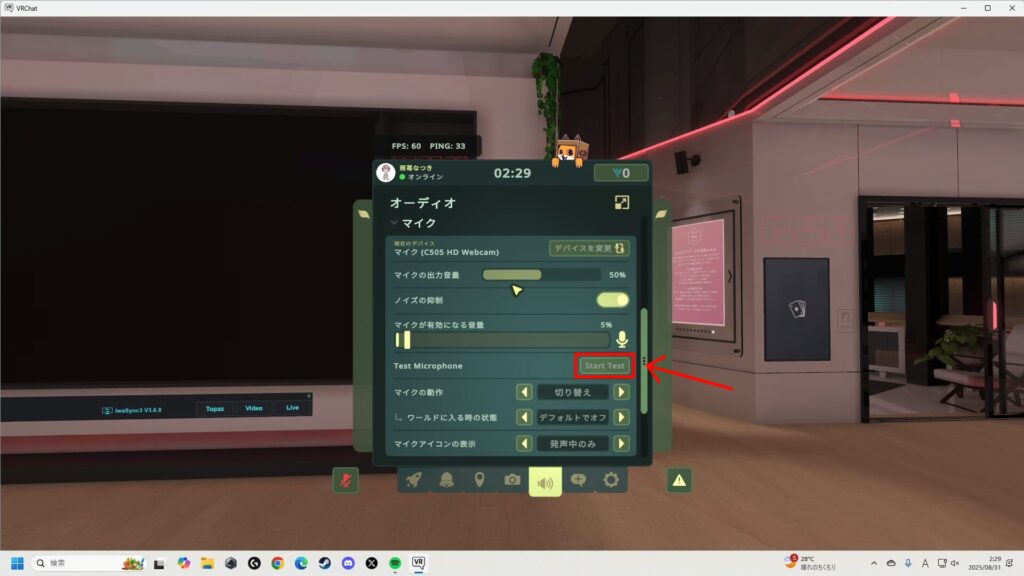
Microphone Audio Test
A microphone test button has been added to the audio settings.
It lets you check how your voice sounds and includes a level meter for checking volume.
Selecting a World on the Web Now Appears in VRChat
Clicking “Launch World” on the Web while VRChat is running now takes the VRChat client (the app) to that world's details screen.
This makes it easier to access worlds you're interested in.
Photo Metadata ON/OFF Controls
You can now choose whether to save metadata in photos.
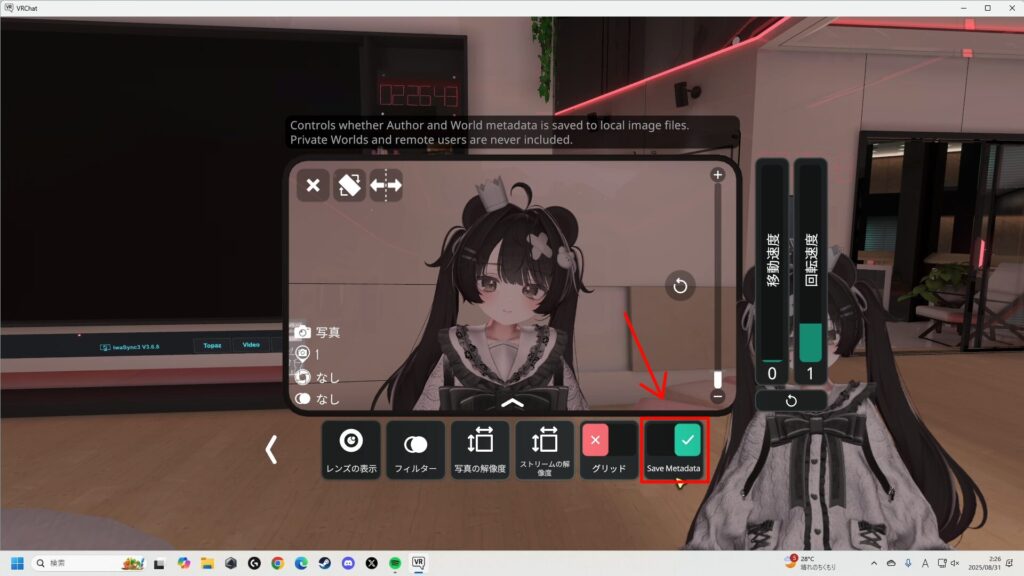
What Is Metadata?
It's information such as who took the photo and where, rather than the photo's image data itself.
This is ON by default. The following metadata is saved:
- Photographer information: ID and name
- World information: ID and name
- Other players' information is not written. If it is included, another tool is responsible.
- World information is not written for photos taken in private worlds.
- As before, the Print camera writes photographer and world information on VRChat's servers. This setting controls metadata when saving locally.
Camera Depth of Field Added to Android
Camera depth of field is now available on Android and in VR on devices such as Quest and Pico.
What Is Depth of Field?
It's a camera effect that blurs the background to emphasize the avatar or main subject.
Used well, it lets anyone take a photo that looks like a scene from a film.
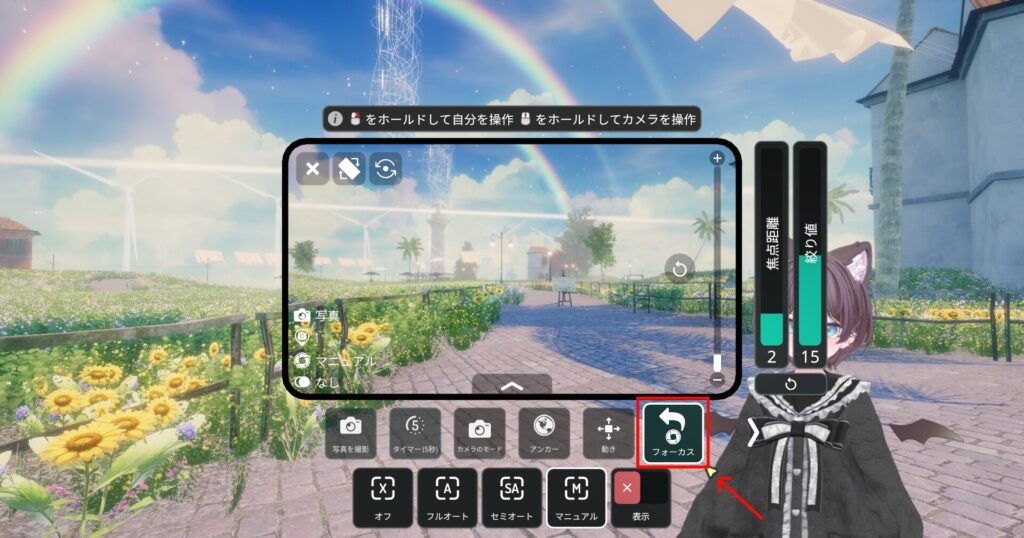
Be aware that enabling it may make performance worse. Keep an eye on performance when using it.
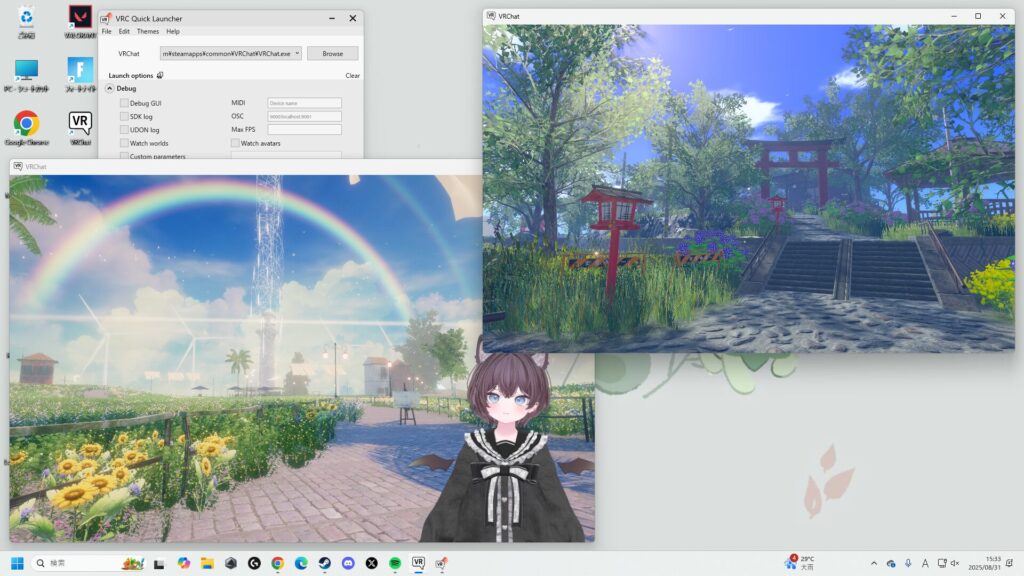
VRC Quick Launcher
Previously, you couldn't run clients simultaneously. This update now allows multiple clients to run.
You can therefore join the same instance for testing without having to prepare 2 PCs.
Other Changes
- Reduced load by skipping animations and similar effects.
- Fixed broken display of player counts for worlds and instances.
- Aligned the maximum length of favorite world list names with the website at 20 characters.
- Made small adjustments to wing and sidebar title lengths.
- Fixed buttons in the settings panel being difficult to click.
- Added tooltips to avatar-page navigation buttons.
- Added type labels such as Avatar and World Perk to product cards.
- Made the Quick menu's Report and Expand to Main Menu buttons the same size.
- Adjusted the avatar details preview to look more like the My Current Avatar display.
- Fixed being able to click objects behind the header background.
- Fixed users without instance management permissions being able to see who had blocked them.
- You can now select the month in a group's event tab.
- Fixed group toggles not loading immediately.
- Fixed some events not appearing.
- Slightly reduced startup time, made minor UI style adjustments, improved security and stability, and updated localization across languages.
- Made the camera's information UI text clickable so you can cycle through settings.
- Moved the Quick menu's UI Themes / Backgrounds to a new page under the inventory's Cosmetics section.
- Improved the button for viewing Fallback details by fixing a translucent indicator that interfered with it.
- Adjusted the Marketplace Try On button's position.
- Added an Explore shortcut tile at the end of the avatar list.
- Adjusted the clickable areas for World Author / Instance Owner.
- When VRCat is flipped, the Quick menu's size has been adjusted to match.
- Fixed group toggles not loading immediately.
- Adjusted text wrapping when gifting VRC+.
- Added an Items Wing menu for quickly placing or removing your items in Quick/Main menu wings.
- The side list now remembers its scroll position.
- Fixed the Added tag failing to update when returning after adding or removing something.
- Improved group icon border resolution.
- Improved truncation of long group names and language text.
- Preserved scroll position after following or unfollowing.
- Fixed some events not appearing.
- Made region-name tooltips accurate when creating a group instance.
- Reviewed the conditions so Send Invite isn't disabled unnecessarily.
- Adjusted avatar height text so it doesn't conflict with the Impostor preview toggle.
- Fixed portals occasionally sending users to closed instances.
- Improved conflicting highlights for interaction/pickup and item removal.
- Made minor PhysBones refactoring with no perceptible effect.
- Server Status text in settings can now be translated.
- Sorted users' favorite worlds by date added, newest first.
- Fixed re-entering the same world when moving from a featured world through sign-in.
- Fixed being unable to create an instance of your own private world.
- Displayed a link to the server status page when problems are detected.
- Removed a placeholder link in the 2FA flow.
- Improved wrapping and localization for Russian and Ukrainian Join buttons, PC Only labels, and Online player-count labels.
- Fixed rotation of sticker and drone inventory previews.
- Made various other localization updates.
Official Patch Notes
Use the button below to read VRChat's official patch notes.
Avatar Customization Guide
Our blog, VRNavi, explains avatar customization in detail for beginners and intermediate users. Take a look if you're interested!